https://github.com/aksoyih/BetterDump
https://packagist.org/packages/aksoyih/better-dump
Debugging in PHP has historically been a mix of var_dump, print_r, and occasionally formatted solutions. BetterDump (bd) is a professional-grade debugging library designed to bring clarity, efficiency, and modern tooling to your PHP workflow.
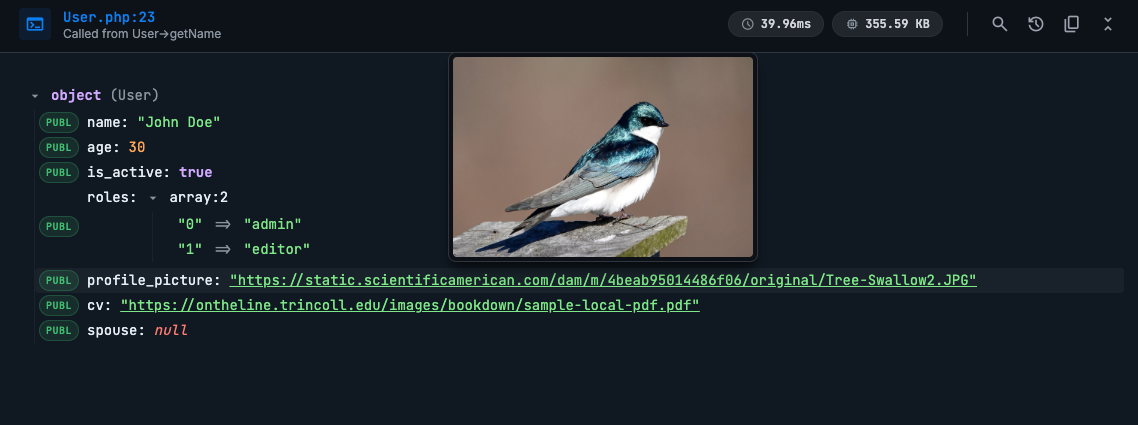
BetterDump isn't just a pretty printer; it's a comprehensive debugging tool providing high-fidelity visual representations of your variables, tailored for modern web development environments.
Why BetterDump?
Developers spend a significant amount of time inspecting data. BetterDump aims to make this process as frictionless and insightful as possible.
Key Features
- Beautiful UI: A modern, dark-mode interface with syntax highlighting that's easy on the eyes.
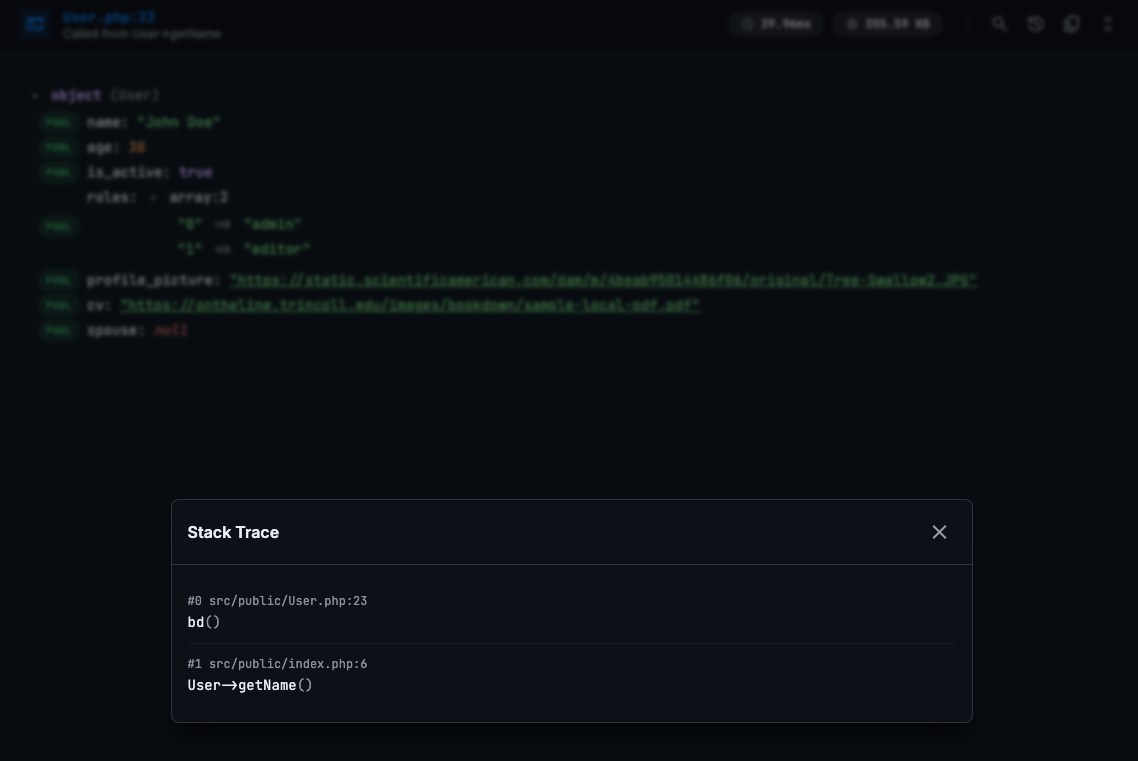
- Deep Linking: Click on file paths in the dump (or stack trace) to open that exact line in your IDE (PhpStorm or VSCode).
- LLM-Ready Copy: One-click copy your dump output as clean JSON with context—perfect for pasting into ChatGPT, Claude, or Gemini for analysis.
- Image Previews: Hover over image URL strings to instantly see a thumbnail preview.
- Smart Search: Built-in real-time search to filter through deeply nested keys and values.
- Performance Metrics: Instantly see execution time and memory usage for each dump.
- Recursion Handling: Safely handles circular references without crashing or infinite loops.
Installation
Getting started is simple. Use Composer to add BetterDump to your project:
composer require aksoyih/better-dumpUsage
Using BetterDump is intuitive. The global helper function bd() is your entry point.
Basic Debugging
Simply pass any variable to bd():
$user = new User(['name' => 'John Doe', 'age' => 30]);
// Dump variable
bd($user);
Multiple Variables & Labels
You can dump multiple variables at once or add labels to keep things organized:
// Dump multiple variables
bd($request, $user, $response);
// Add a label for clarity
bd($user, 'Authenticated User');
JSON Output for APIs
Debugging APIs? Switch to JSON mode to output formatted JSON responses, keeping your API clients happy while you debug.
use Aksoyih\BetterDump;

// Enable JSON mode for API debugging
BetterDump::outputJson(true);
bd($data);
LLM Output
Context: src/public/User.php:23
Caller: User->getName

Stack Trace:
#0 src/public/User.php:23 bd()
#1 src/public/index.php:6 User->getName()

Dumped Data:
```json
{
  "@class": "User",
  "name": "John Doe",
  "age": 30,
  "is_active": true,
  "roles": [
    "admin",
    "editor"
  ],
  "profile_picture": "https://static.scientificamerican.com/dam/m/4beab95014486f06/original/Tree-Swallow2.JPG",
  "cv": "https://ontheline.trincoll.edu/images/bookdown/sample-local-pdf.pdf",
  "spouse": null
}
```
IDE Configuration
Configure BetterDump to open files in your preferred editor (default is PhpStorm):
use Aksoyih\BetterDump;
// Set to VSCode
BetterDump::setEditor('vscode');
BetterDump brings PHP debugging into the modern era. Give it a try and stop squinting at var_dump output!
BetterDump
A beautiful debugging tool for PHP applications with syntax highlighting and collapsible output.